






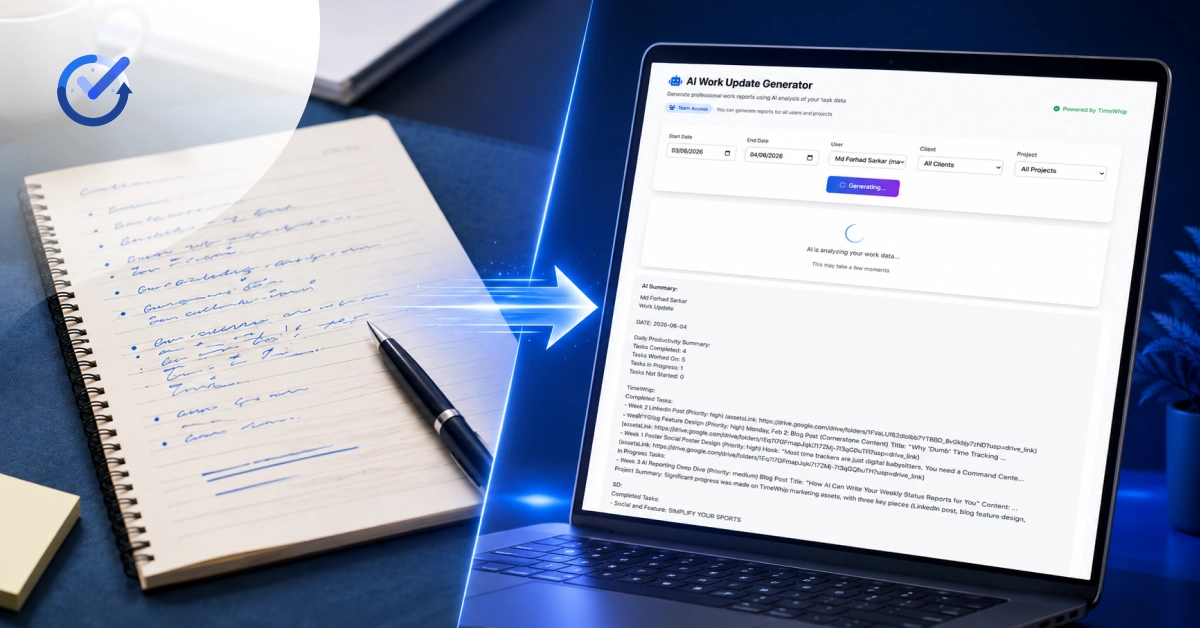
How AI Can Write Your Weekly Status Reports for You
The Monday Morning Problem Nobody Talks About
It’s 9:00 AM on Monday. Your team has worked hard all week — deadlines met, tasks completed, bugs squashed. But before anyone can move forward, someone has to answer the dreaded question:
“Can you send over the weekly status report?”
So you open a blank document. You dig through Slack messages, check spreadsheets, pull up time logs, and start piecing together what happened last week — line by line, hour by hour. An hour later, you’ve produced a report. It’s accurate. It’s professional. And you’ll have to do it all over again next Monday.
This is the silent productivity tax that drains managers, team leads, and project coordinators every single week. And most people accept it as just “part of the job.”
They shouldn’t have to.
What Is a Weekly Status Report — and Why Does It Matter?
A weekly status report is a structured summary that communicates:
1. What was accomplished during the week
2. How much time was spent on each project or task
3. Who worked on what across the team
4. What’s coming up in the next sprint or cycle
5. Any blockers, risks, or dependencies that need attention
Done well, status reports build client trust, improve internal alignment, and give leadership the visibility they need to make smart decisions. Done poorly — or skipped entirely — they create miscommunication, scope creep, and frustrated stakeholders.
The problem isn’t that status reports are unimportant. The problem is that writing them manually is slow, inconsistent, and unsustainable at scale.
Why Manual Status Reports Are Costing You More Than You Think
Let’s run the numbers.
If a project manager or team lead spends 60–90 minutes per week writing status reports for even two or three clients, that adds up to roughly 5–6 hours per month — time that could be spent on actual work.
Beyond time, manual reports carry other hidden costs:
Inconsistency. Written by hand, every report reflects the individual’s memory, mood, and writing style — not a reliable data source. Important context gets omitted. Numbers get estimated instead of calculated.
Recency bias. Human memory naturally emphasizes what happened most recently. Events from early in the week get glossed over, even if they were significant.
No audit trail. A manually written report has no direct link to the underlying activity data. If a client questions a figure, you have to dig back through raw logs to verify it.
Delayed delivery. Reports that take hours to write often get postponed — sent Monday instead of Friday, Tuesday instead of Monday. That lag erodes client confidence.
There has to be a better way.
Introducing TimeWhip’s AI Insights: Your Automated Reporting Engine
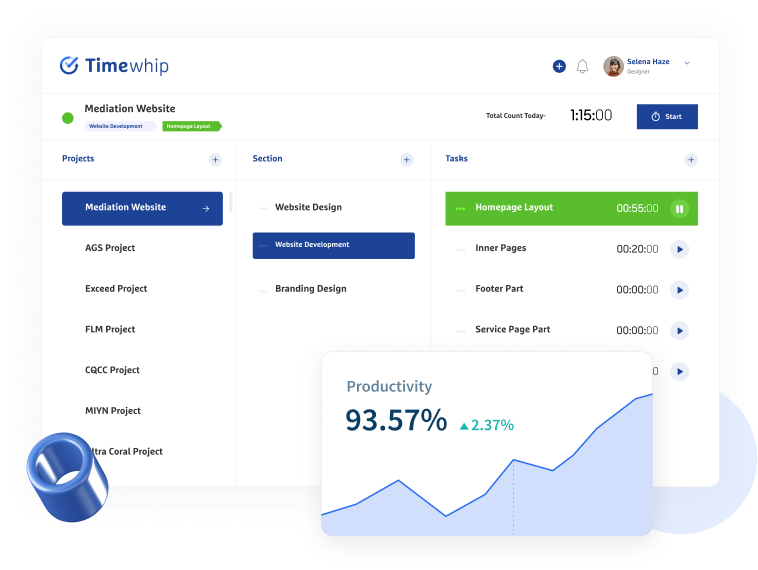
TimeWhip was built around a simple idea: the data you need to report already exists. Every time an employee starts work, completes a task, takes a screenshot, or switches between applications — that event is captured and stored. The AI Insights feature takes all of that raw activity data and transforms it into a polished, professional status report automatically.
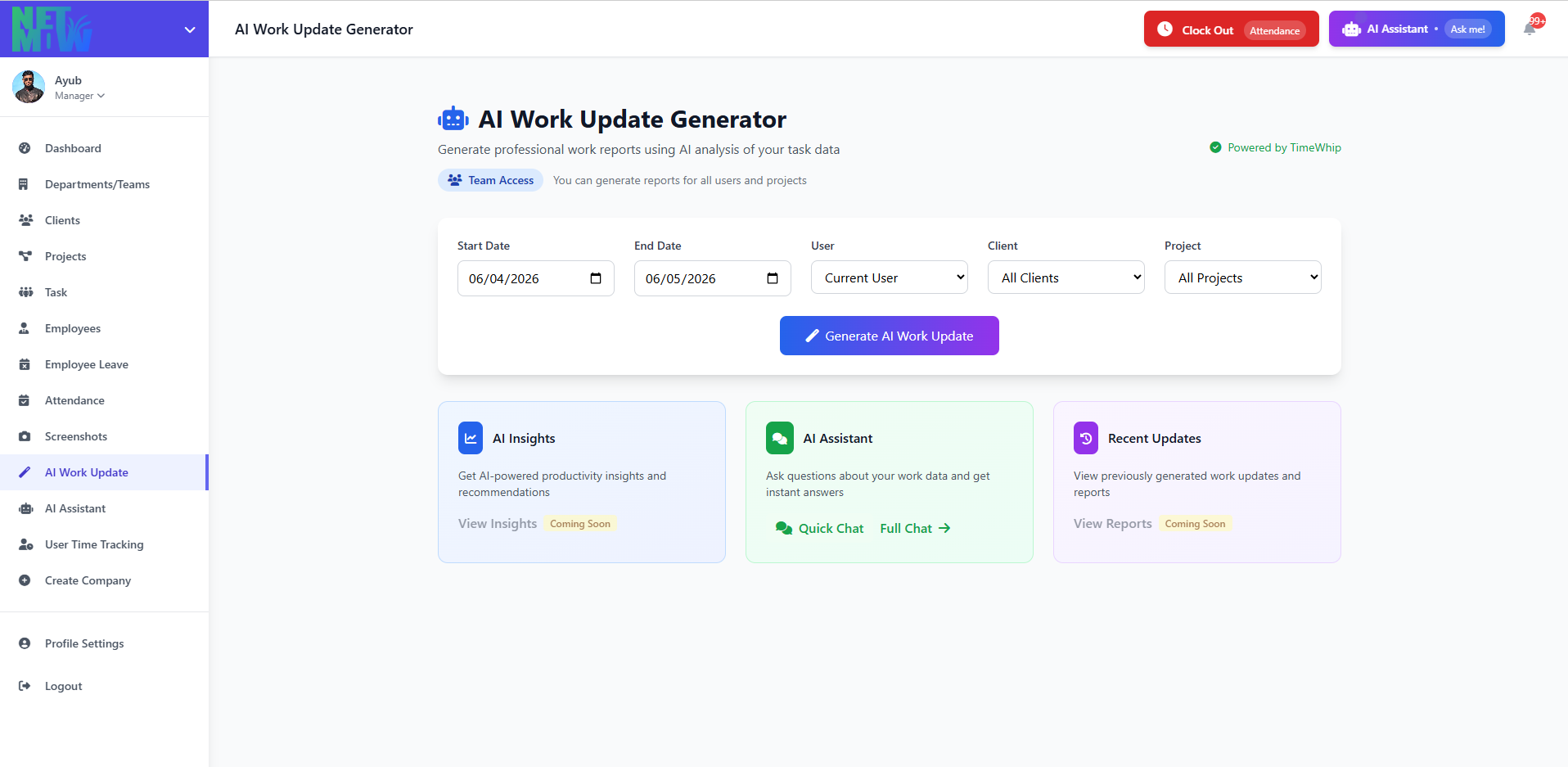
Here’s how it works:
1. Continuous Data Collection
Throughout the week, TimeWhip silently captures time logs, task completions, screenshot timestamps, app usage patterns, and attendance records — all organized by project and client.
2. AI-Driven Pattern Analysis
At the end of your chosen reporting period, TimeWhip’s AI engine analyzes the data. It identifies which team members contributed to which deliverables, calculates actual time versus estimated time, flags productivity trends, and surfaces anomalies worth noting.
3. Auto-Generated Report Output
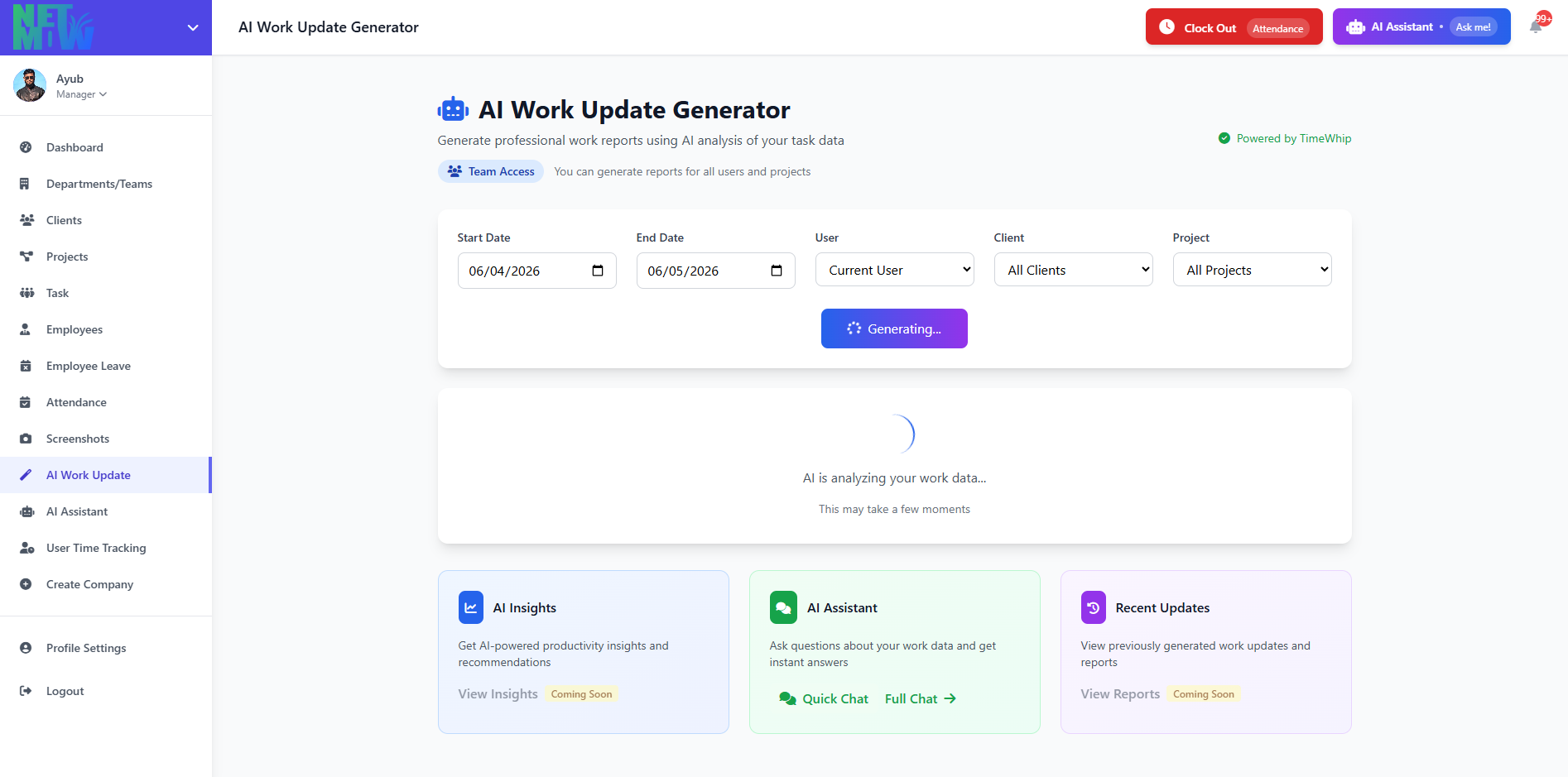
The AI compiles its analysis into a clean, structured report — formatted, worded, and ready to send. You can review it, make minor edits if needed, and deliver it to stakeholders in minutes instead of hours.
4. White-Label Export
Reports can be exported as professional, white-labeled documents — branded with your company identity, not TimeWhip’s. Your clients see a polished deliverable. They never need to know the backend does the heavy lifting.
Side-by-Side Comparison: AI-Generated Report vs. Human-Written Report
To show you exactly what the difference looks like in practice, here’s a realistic comparison of two weekly status reports covering the same team and the same week.
✍️ Human-Written Report
Weekly Update
Project: ABC Website Redesign
Prepared by: Sarah M., Project Manager
Week of: June 2–6, 2026
Hi team,
Here’s a quick update on where things stand. The dev team was mostly working on the homepage this week — I think they got the hero section done and started on the navigation. Design was reviewing some feedback from the client and making changes. Not sure exactly how long everything took but we’re roughly on track.
There were a few meetings mid-week which took up some time. The QA pass on the contact form happened, I think on Thursday? We found a couple of issues which are now being fixed.
Next week we’re hoping to finish the inner pages and start on mobile responsiveness. Let me know if you have questions.
🤖 AI-Generated Report (TimeWhip AI Insights)
Weekly Status Report
Project: Apex Website Redesign
Reporting Period: June 2–6, 2026
Total Hours Logged: 47.5 hrs
Billable Hours: 44.0 hrs
Team Members Active: 4
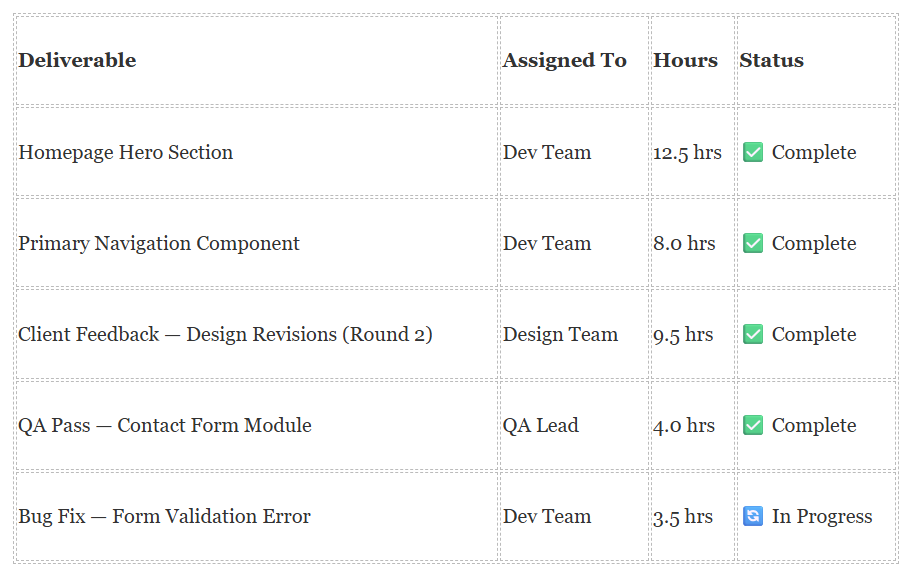
Executive Summary Week 3 of the Apex Website Redesign delivered strong progress on front-end development, with the homepage hero section and primary navigation completed ahead of schedule. Design revisions based on client feedback were finalized on Wednesday. QA activity identified 2 minor defects in the contact form module, both assigned and in active resolution.
Completed This Week
Productivity Insights
1. Average daily active hours per team member: 9.5 hrs
2. Focus time (uninterrupted work blocks >45 min): 68% of total logged time
3. Meetings & collaboration overhead: 6.5 hrs (13.7% of total)
Upcoming — Week of June 9–13
1. Inner pages: About, Services, Case Studies (Est. 18 hrs)
2. Mobile responsiveness pass — Homepage (Est. 10 hrs)
3. Client review session scheduled: June 12, 2:00 PM
Risks & Notes ⚠️ Form validation bug is blocking final QA sign-off on the contact module. Resolution expected by June 9.
This report was automatically generated by TimeWhip AI Insights based on verified activity data from June 2–6, 2026.
The difference is stark. The human-written version relies on memory, uses vague language (“I think,” “roughly,” “not sure exactly”), and leaves stakeholders with unanswered questions. The AI-generated version is precise, data-backed, scannable, and professional — and it took virtually no manual effort to produce.
Who Benefits Most from AI-Generated Status Reports?
TimeWhip’s AI Insights feature delivers the most value for:
Agency Owners & Account Managers who need to keep multiple clients updated simultaneously without dedicating half their week to documentation.
Remote Team Leaders who want transparent, objective reporting on distributed team activity — especially across time zones where direct oversight isn’t possible.
Freelancers Managing Multiple Projects who need professional deliverables for clients without the administrative overhead of a full operations team.
Operations Managers in Scaling Businesses who need consistent, repeatable reporting as headcount grows — without proportionally growing their admin workload.
Beyond Reporting: What AI Insights Reveals About Your Team
The AI Insights feature doesn’t just automate reporting — it surfaces patterns you might never notice manually.
Who is over-utilized? When one team member consistently logs significantly more hours than their peers on the same deliverable, that’s a signal worth acting on before burnout sets in.
Where is scope creeping in? If actual hours are consistently outrunning estimates on a particular type of task, AI Insights flags that trend — allowing you to adjust pricing, resourcing, or timelines proactively.
What does deep work actually look like? Focus mode metrics show how much uninterrupted work time your team actually gets versus how much is fragmented by meetings, context-switching, or idle time.
Which clients demand the most time? AI Insights can reveal which client relationships are generating disproportionate project overhead — helping you make informed decisions about retainer pricing and resource allocation.
5 Reasons TimeWhip’s AI Reports Beat Manual Reporting Every Time
a. Speed. What takes a human 60–90 minutes to write, TimeWhip generates in seconds. That time compounds across weeks, months, and team sizes.
b. Accuracy. AI reports pull directly from verified activity data — no estimation, no memory gaps, no numbers that don’t add up under scrutiny.
c. Consistency. Every report follows the same structure and quality standard, regardless of who’s managing the project or what week it is.
d. Scalability. Whether you’re managing 2 clients or 20, the reporting effort stays the same. The AI scales effortlessly as your business grows.
e. Professionalism. White-labeled, structured, and clearly formatted — every report reinforces your brand’s credibility and attention to detail.
Getting Started: Your First AI Report This Week
Setting up TimeWhip’s AI Insights doesn’t require a lengthy onboarding process or technical expertise. The platform is designed to start delivering value from day one.
Step 1: Sign up for a free account at timewhip.io Step 2: Create your first project and invite team members Step 3: Install the TimeWhip desktop tracker (Windows & Mac available) Step 4: Let your team work normally for a week — TimeWhip captures activity automatically Step 5: Review your first AI-generated status report and share it with stakeholders
That’s it. No complex integrations. No manual data entry. No Monday morning report-writing sessions.
Conclusion: Stop Writing. Start Delivering.
The weekly status report has always been a necessary part of running a professional, client-facing team. What has never been necessary is writing it by hand every single time.
TimeWhip’s AI Insights feature doesn’t replace your judgment — it replaces your busywork. You still review the report. You still make strategic decisions. You still manage client relationships. But you do it with hours of your week returned to you, and with data-backed reports that are more accurate and more professional than anything produced in a rushed Monday morning session.
The teams that will win in the next five years won’t be the ones that work the most hours. They’ll be the ones that work the most intelligently.
🚀 Get Your First AI Report This Week
TimeWhip’s Free Plan is available right now — no credit card required, no trial period, no catch. Start tracking, start generating, and see exactly what AI-powered reporting looks like for your team.
👉 Sign Up Free at TimeWhip.io →
Free Plan includes time tracking, screenshot reports, task management, and AI-generated summaries — forever free for freelancers and small teams.