






Time Doctor vs. TimeWhip: The 2026 Comparison Guide
If you’re reading this, you’re probably not asking “should my team track time?” That question got answered years ago. The real question is: does your current tool actually tell you anything useful, or does it just hand you a pile of screenshots and call it a day?
That’s the line that separates the old generation of employee monitoring software from what’s coming next. Time Doctor has been the category leader since 2012 — a solid, dependable workforce analytics platform used by thousands of distributed teams. TimeWhip is newer, built specifically around one idea: raw activity data is worthless until it’s connected to a client, a project, and a story your stakeholders can actually read.
This isn’t a takedown. Time Doctor is a mature, capable product. But “mature” and “modern” aren’t always the same thing, and a lot of teams switching tools in 2026 are doing it for reasons that go beyond features on a checklist. Let’s get into the actual numbers.
The Quick Verdict
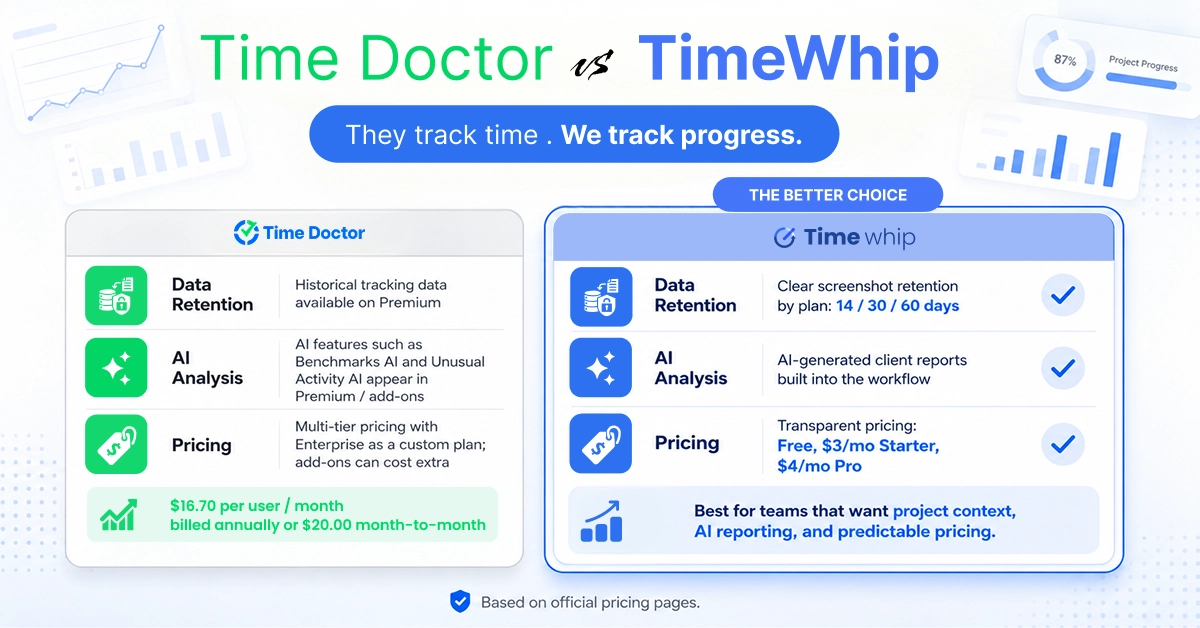
| pricing & plans | TimeWhip | Time Doctor |
| Starting price | Free, forever | No free plan — 14-day trial only |
| Entry paid tier | $3/month | $6.67–$8/ per user/month |
| Top published tier | $4/month (Pro) | $16.70–$20/user/month (Premium) |
| AI-generated reports | Core feature, all paid tiers | Add-on / Premium-only |
| Setup complexity | Sign up, install, done | Guided onboarding recommended for 20+ users |
| Best for | Agencies, freelancers, lean remote teams | Large enterprises, BPOs, compliance-heavy orgs |
The short version: Time Doctor is built for scale and compliance. TimeWhip is built for teams that want intelligence without the enterprise price tag. Now let’s break down exactly why.
They Track Time. We Track Progress.
This is the philosophical gap that explains almost every other difference on this page.
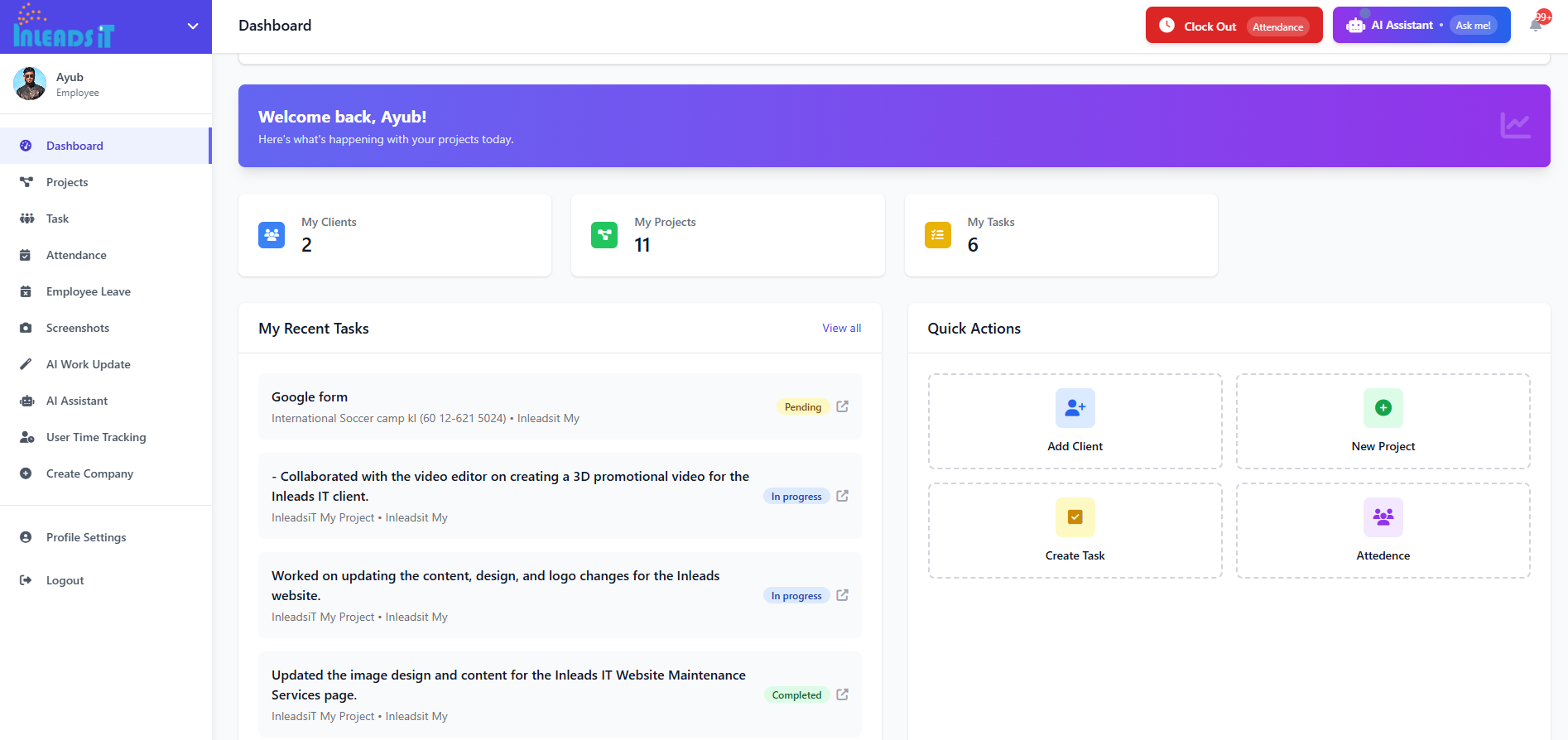
Time Doctor’s core model is built around data collection — hours logged, apps used, screenshots captured, activity percentages calculated. It’s thorough, and for a company with a dedicated ops team to interpret all of it, that thoroughness pays off.
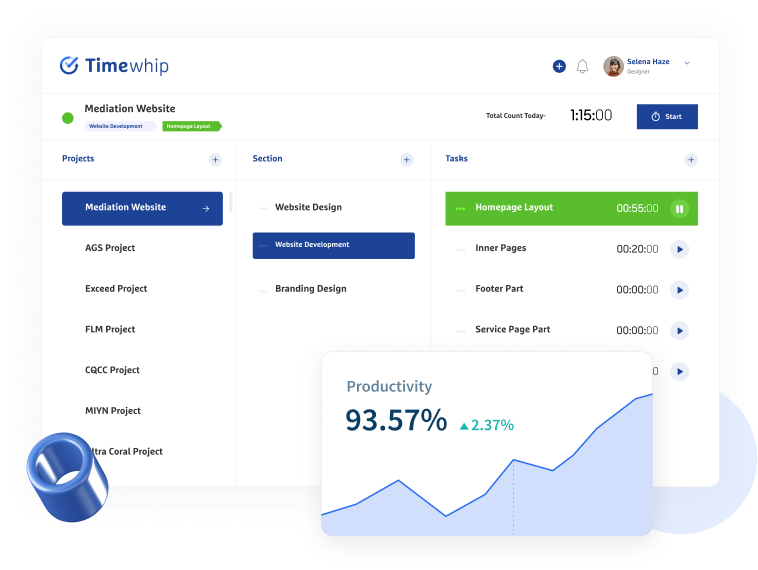
TimeWhip’s model is built around data interpretation. Every screenshot, every time block, and every activity log is automatically tied to a project and a client the moment it’s captured — not sorted afterward by a manager on a Friday afternoon. The platform’s AI layer doesn’t just store that data; it turns it into a client-ready report without anyone opening a spreadsheet.
In practice, that means a Time Doctor user finishes the week with data. A TimeWhip user finishes the week with an answer.
Pricing: The Number That Actually Moves the Needle
This is usually where the comparison gets decided, so let’s not bury it.
TimeWhip Pricing
| Plan | Price | Max Projects | Screenshot Retention | Notable Inclusions |
| Free | $0.00 | 3 | 14 days | Client, Project, Task, Team & User Management included |
| Starter | $3.00/month | 5 | 30 days | Everything in Free, higher limits |
| Pro | $4.00/month | 50 | 60 days | Adds Attendance Management & Leave Management |
Every tier — including the free one — includes client management, project management, task management, and team time tracking reports. There’s no “you need to upgrade to even see your team’s hours” trick here.
Time Doctor Pricing
| Plan | Price (annual billing) | Historical Data | Notable Inclusions |
| Basic | $6.67/user/month | 3 months | Automatic tracking, screenshots, timeline reports |
| Standard | $11.67/user/month | 6 months | + Attendance, payroll, leave tracking, 60+ integrations |
| Premium | $16.70/user/month | 2 years | + Benchmarks AI, video screen recording, SSO, executive dashboard |
| Enterprise | Custom | 2 years | + Private cloud, custom contracts, dedicated services |
Notice the structure: Time Doctor’s pricing is per user, which means costs scale with your headcount whether or not that growth is in your budget. A 10-person team on the Standard plan is already looking at roughly $117/month before any add-ons. Scale that to 50 people and you’re well into four figures monthly — and that’s before tacking on Software Cost Insights, Meeting Insights, or HRIS integration, which Time Doctor sells as separate paid add-ons rather than bundling them in.
TimeWhip’s published plans, by contrast, don’t carry that per-seat multiplier. A growing team doesn’t get punished with a bigger invoice just for adding headcount onto an already-functioning workflow.
Bottom line: for a lean agency or a freelancer managing a handful of clients, the gap between “$0 to start” and “you need a sales call to find out the real Enterprise number” is the whole decision.
AI Analysis: Built-In vs. Bolted-On
Both platforms talk about AI in 2026 — everyone does. The difference is where the AI lives in the product.
Time Doctor’s AI capabilities — Benchmarks AI, Unusual Activity AI Report, Office vs. Remote Report — are gated behind the Premium tier or sold individually as add-ons on the lower plans. If you’re on Basic or Standard, you’re still doing the human work of turning raw logs into something a client can read.
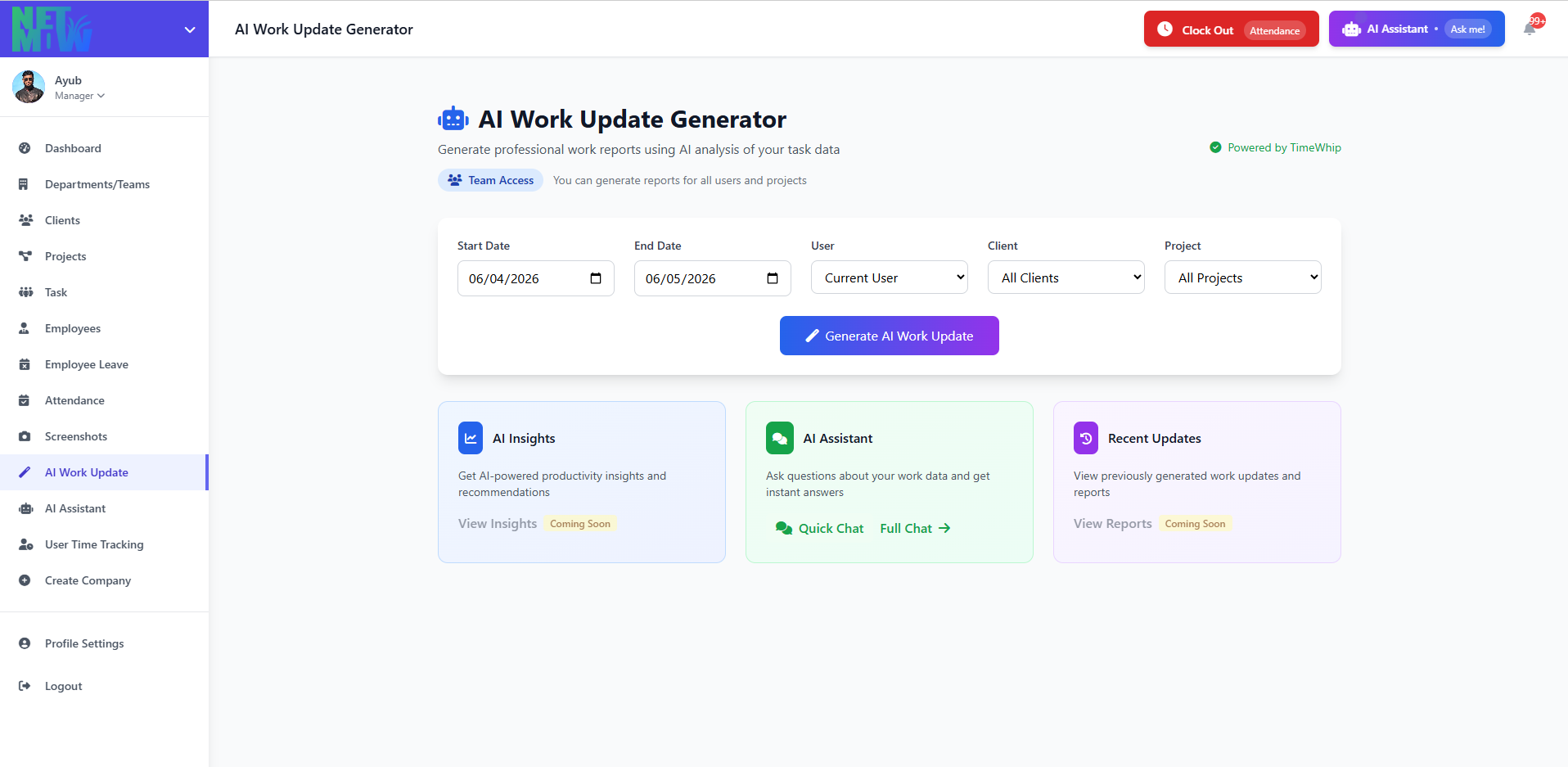
TimeWhip flips that order. AI-generated client reporting is part of the product’s core identity, not a premium upsell. The platform’s stated goal is to take the same raw inputs — screenshots, time logs, app usage — and have AI compile them into a polished, stakeholder-ready report automatically, the same week you sign up, on the free plan. There’s no “upgrade to see what your data means.”
For agencies that live and die by weekly client reporting, that’s not a nice-to-have. It’s the difference between a project manager spending six to nine hours a week assembling updates by hand, and spending thirty minutes reviewing something AI already wrote.
Data Retention: Smart Storage vs. Storage Hoarding
We’ll be straight with you on this one, because the raw numbers actually favor Time Doctor’s higher tiers: Premium and Enterprise plans store historical data for up to two years, compared to TimeWhip’s 60-day maximum on the Pro plan.
But raw retention length is the wrong question. The real question is: what are you going to do with two years of screenshots?
Time Doctor’s model assumes you’ll want to dig back through historical activity logs for audits, disputes, or long-term benchmarking — which makes sense for large enterprises with compliance obligations. TimeWhip’s model assumes most teams don’t need to re-watch a year-old screenshot; they need the insight that screenshot generated, permanently. Because every activity log is converted into an AI report and a project record at the time it’s captured, the value isn’t trapped in raw footage that expires — it’s already been distilled into something you can export, share, and keep forever.
If your business genuinely needs multi-year raw activity archives for compliance reasons, Time Doctor’s Premium or Enterprise tier is the more defensible choice. If you need to know what happened and why — without paying enterprise rates to store screenshots nobody will ever open again — TimeWhip’s context-first approach gets you there faster and cheaper.
Full Feature Comparison
| Feature | TimeWhip | Time Doctor |
| Free plan | ✅ Forever free | ❌ Trial only (14 days) |
| Automatic time tracking | ✅ | ✅ |
| Screenshots | ✅ (up to 6/hour) | ✅ |
| Project & client attribution | ✅ Automatic | Manual tagging |
| AI-generated reports | ✅ Core feature | Premium / add-on |
| Task management | ✅ | ✅ |
| Attendance tracking | ✅ (Pro plan) | ✅ (Standard+) |
| Leave management | ✅ (Pro plan) | ✅ (Standard+) |
| Payroll integration | — | ✅ (Standard+) |
| Unusual activity detection | ✅ Included | Add-on |
| Video screen recording | — | ✅ (Premium) |
| Single Sign-On (SSO) | — | Add-on (Premium+) |
| Integrations | Growing library | 60+ |
| Desktop apps | Windows, Mac | Windows, Mac, Linux |
| Enterprise / custom plans | ✅ | ✅ |
Time Doctor still wins on raw integration count, payroll depth, and enterprise-grade controls like SSO and private cloud deployment. If your organization genuinely needs those, that’s a real consideration. But for the vast majority of small-to-mid agencies and remote teams, the features that actually get used weekly — time tracking, screenshots, project attribution, reporting — are matched or exceeded by TimeWhip, at a fraction of the cost.
Who Should Actually Switch?
Stick with Time Doctor if: you’re managing 100+ employees, need payroll automation across multiple currencies, require SSO and IAM provisioning for IT compliance, or operate in a regulated industry where two-year activity audit trails are a legal requirement.
Switch to TimeWhip if: you’re an agency or freelancer billing clients by the hour, you’re tired of paying per-seat pricing that punishes growth, you want AI-generated reports without paying a Premium-tier markup for them, or you simply want to try a real product on a real free plan before committing a single dollar.
FAQ
Is TimeWhip a real alternative to Time Doctor, or a stripped-down version?
TimeWhip covers the core workflow most teams actually use daily — time tracking, screenshots, project and task management, team reporting — and adds AI-generated reporting as a baseline feature rather than a premium upsell. Where it doesn’t compete is deep enterprise tooling like SSO, private cloud deployment, and 60+ native integrations.
Does TimeWhip have a free plan, or just a free trial?
TimeWhip’s Free plan has no expiration date. It includes up to 3 projects, 14-day screenshot retention, and full access to client, project, task, and team management tools.
How does Time Doctor’s pricing scale for larger teams?
Time Doctor bills per user per month, so costs rise directly with headcount. A 50-person team on the Standard or Premium tier can run well over $500–$1,000+ per month before add-ons like Software Cost Insights or HRIS integration are factored in.
Which tool is better for client reporting?
TimeWhip’s AI-generated reporting is built into the core product and designed specifically around client-facing, white-labeled output. Time Doctor offers strong activity summaries and an executive dashboard, but its most advanced AI reporting tools sit behind the Premium tier or paid add-ons.
Can I migrate my team from Time Doctor to TimeWhip without losing historical data?
You can export your existing reports and timesheets from Time Doctor before switching. TimeWhip’s onboarding is built to get a new team tracking time and generating their first AI report within the same week.
Ready to See the Difference?
You don’t need a sales call, a credit card, or a 14-day countdown to find out if TimeWhip fits your team. Start on the Free plan, connect your first project, and let the AI write your first report this week.
Looking for more detail on a specific feature? Read more about TimeWhip’s time tracking, screenshot monitoring, or AI-powered reporting.