






The Death of the 9-to-5: Why Async Work Needs Synchronous Data
The 9-to-5 didn’t retire gracefully. It got quietly dismantled — one Slack message sent at 11 p.m., one “working from Lisbon this week” out-of-office reply, one team standup that became a shared doc instead of a shared calendar invite.
Asynchronous work is no longer an experiment. It’s the default operating mode for a growing share of remote and hybrid teams. But there’s a catch nobody put in the onboarding deck: when work stops happening on the same clock, it has to start happening on the same data.
That’s the trade managers are quietly making — and most haven’t updated their tools to match.
What “Async” Actually Broke
Async work solved a real problem: forcing a designer in Brisbane and a client in Denver onto the same 9 a.m. call was never sustainable. Removing the shared clock unlocked flexibility, deeper focus time, and access to talent regardless of time zone.
But it also broke three things that the traditional workday used to give managers for free:
- Visibility. No one’s walking past a desk to see who’s heads-down and who’s stuck.
- Context. A finished task doesn’t explain itself — what was worked on, for which client, and for how long.
- Trust calibration. Without shared hours, “are we on track?” becomes a guess instead of a glance.
Most teams tried to patch this with more meetings, more status-update Slack channels, or more manual timesheets. That’s not a fix — it’s async work wearing a synchronous costume, and it’s exhausting for everyone involved.
The Real Fix: Synchronous Data, Not Synchronous Hours
The teams thriving in async setups didn’t bring back the 9-to-5. They replaced synchronous time with synchronous data — a live, shared source of truth that everyone can check without needing everyone online at once.
This is the actual shift happening in remote work management right now: less “let’s hop on a call,” more “let’s look at the dashboard.”
What synchronous data looks like in practice
- Real-time activity and time data tied directly to the project and client it belongs to — not a vague hour total at the end of the week
- Screenshots and app usage that give context to the work, without requiring a manager to ask “what did you get done today?”
- Reports that update continuously, so a stakeholder in any time zone sees the same accurate picture the moment they log in
- AI that flags what actually needs attention — idle time, workload imbalance, missed deadlines — instead of managers manually cross-checking spreadsheets
This is precisely the gap TimeWhip was built to close.
How TimeWhip Turns Async Chaos Into a Command Center
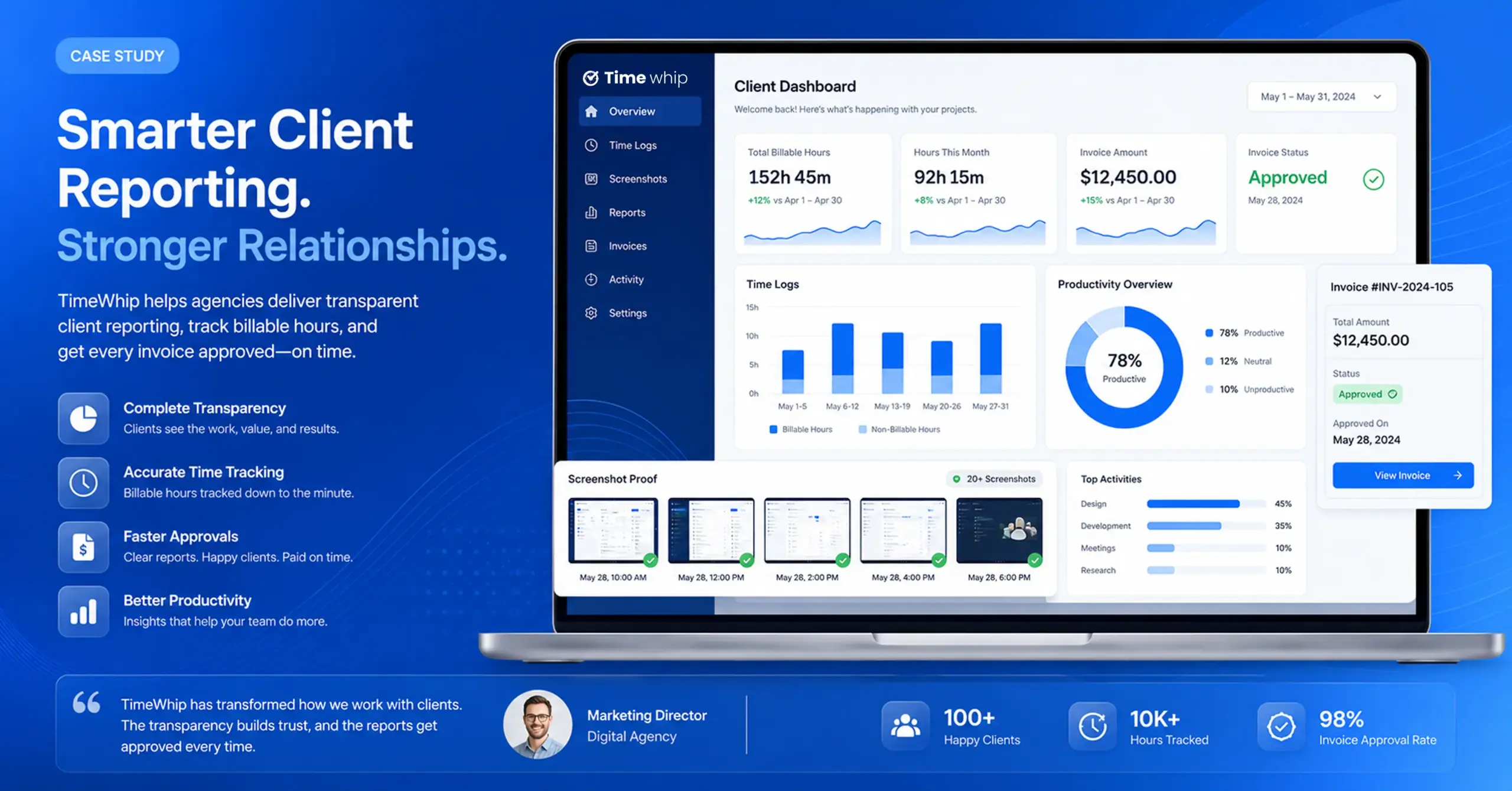
TimeWhip doesn’t ask your team to work the same hours. It asks your data to work in real time, so your team doesn’t have to.
Smart Context Monitoring automatically ties every screenshot and every minute of activity to the right client and project — no more uncategorized hours or “which task was this even for?” guesswork days later.
AI-Generated Client Reports turn raw activity logs into polished, shareable progress reports instantly, so client updates aren’t a Friday-afternoon scramble through spreadsheets.
Real-Time Workforce Analytics give you a live pulse on the team — attendance patterns, deep-focus metrics, and workload distribution — without micromanaging anyone’s calendar.
Unusual Activity Detection lets AI flag irregular patterns, like unexplained idle time, so managers spend less time policing hours and more time solving actual bottlenecks.
Put together, this is what a modern command center looks like: not a clock everyone punches, but a dashboard everyone trusts.
Async Work Isn’t Going Anywhere — So Your Tools Shouldn’t Lag Behind
The 9-to-5 gave managers a shortcut: shared hours as a proxy for shared visibility. That shortcut is gone, and it isn’t coming back. The teams that win the next stage of remote work won’t be the ones trying to resurrect the old clock — they’ll be the ones who replaced it with something better: live, contextual, always-on data.
If your team already works async, your tracking and reporting stack should too.
Ready for Q2? Start With a Clean Slate.
New quarter, same old spreadsheet chaos? Not this time. Set up TimeWhip before Q2 kicks off and walk into the next three months with clean data, automated client reports, and a team dashboard that never sleeps — even when your team doesn’t share a single working hour.